Install GeoSigner
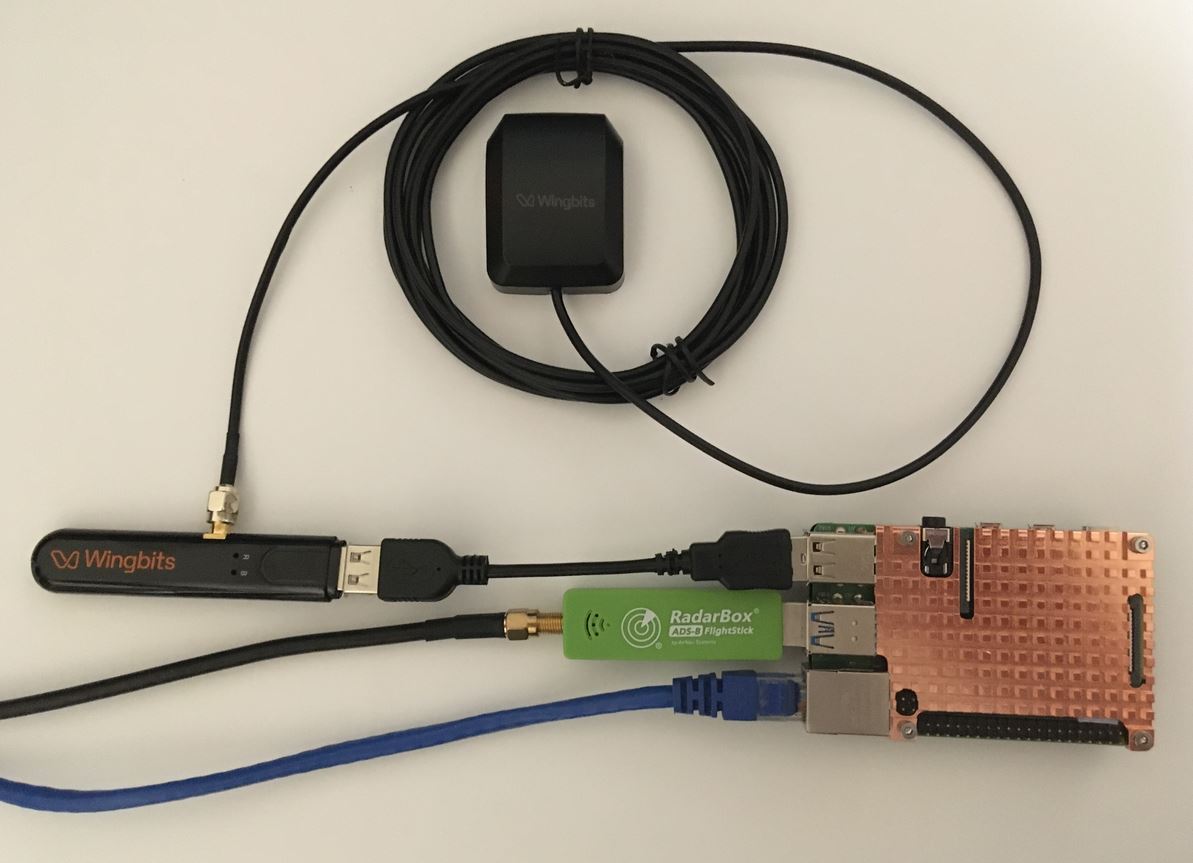
The GeoSigner is used in addition to your existing ADS-B SDR (RadarBox, FlightAware etc) - do not remove your existing USB receiver or antenna setup.
Install the GeoSigner
The deadline to have your GeoSigner installed is March 17th, 2025.
This page also assumes you have the wingbits client installed already.
OS Requirements
The recommended OS is Raspberry Pi OS Lite Bookworm (64 bit), for PI based system.
The recommended minimum required OS is Raspberry Pi OS Lite Bullseye (64 bit)
Any older version or other OS type may require a lot of work to install the required prerequisites.
All our testing is performed with the latest version of Raspberry Pi OS Lite and we may not be able to assist with OS or versions other than the above.
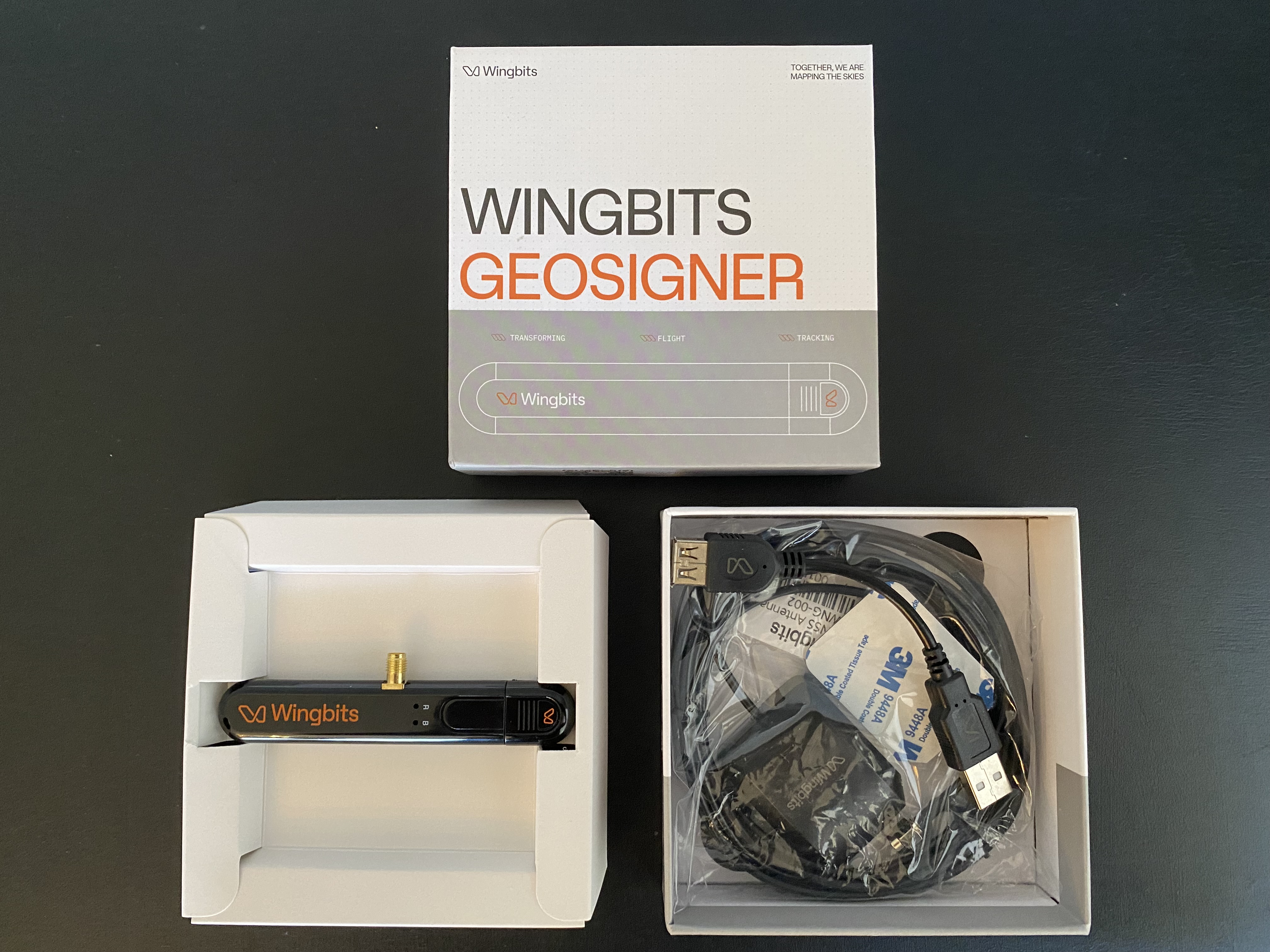
Inside the Box


Physical Steps
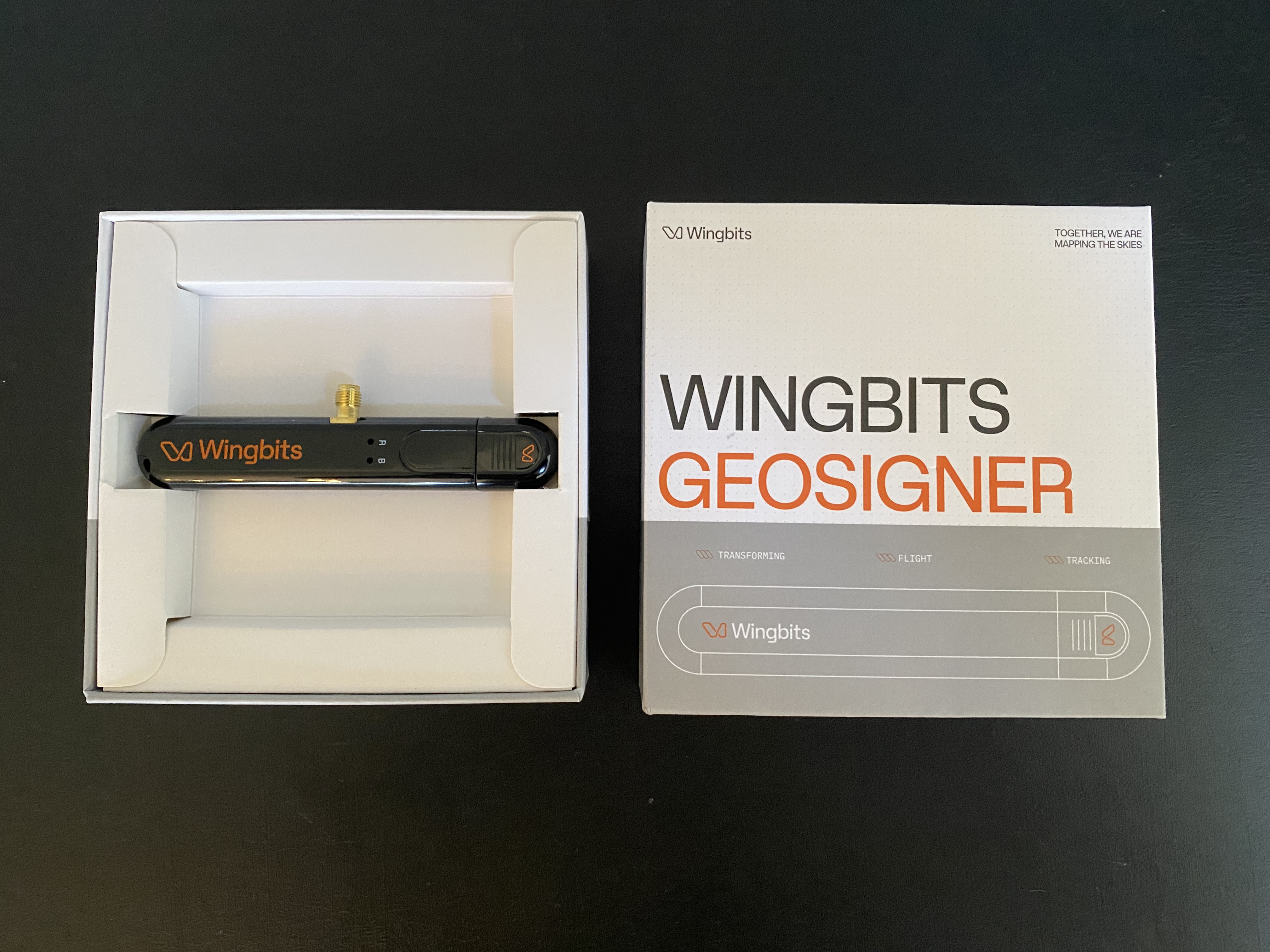
Remove GeoSigner from box
Attach included GPS puck antenna (located under GeoSigner in box) by gently screwing the SMA connector fully onto the matching connector on the side of the GeoSigner
Insert the GeoSigner into an open USB port on your station, using the USB extension if needed for space issues. It might be easier with some SDRs to add the USB extension on the receiver and plug the thinner GeoSigner directly into the usb slot.
Ensure both the GeoSigner addon device and the original ADSB USB receiver are both properly seated in the USB ports and they are not putting strain on each other due to space.
Place the GPS antenna where it should have reasonable access to the satellite signals it will receive (preferably outdoors, but try different locations based on reported number of satellites). The GPS antenna is IP68 rated, so water/weather is not a concern (the GeoSigner dongle itself must be indoors).

Please do not remove the GeoSigner or power down the station for at least 30mins after you insert it. This time is needed for it to update its firmware and link properly.
Dashboard & Rewards Changes
When a GeoSigner has completed setup and linked, the station is replaced by a new one that is unique based off the GeoSigner’s serial number. Until rewards are calculated for the day it links (around 1am UTC the following day), it will have no rewards visible on the Station's details page, just like if you setup a new station... as it basically is a new station.
You have not lost any rewards.
Your old station id from "prior to linking" will continue to show historical rewards on the Overview page. The new station will show as a different color (as will happen whenever you have multiple stations) in charts.
Confirm status of the GeoSigner
The GeoSigner will need approximately 30 minutes to update itself and acquire satellites. After that time, you can see the status of your station by viewing it on the My Stations page.
First click "GET STARTED" on the top of the site:

Then click on "MY STATIONS":

Below the station's name you will see when the last message was received and when the last GeoSigner heartbeat was received (should be about every 10 minutes).

Please also check out the stats page by clicking on the station's name and then clicking on the Statistics link. This page will provide additional information about the wingbits client and the GeoSigner.
FAQ
Last updated
Was this helpful?