> For the complete documentation index, see [llms.txt](https://docs.wingbits.com/llms.txt). Markdown versions of documentation pages are available by appending `.md` to page URLs; this page is available as [Markdown](https://docs.wingbits.com/byod/grandfathered-byod-diy-info/theoretical-range-of-coverage.md).
# Theoretical range of coverage
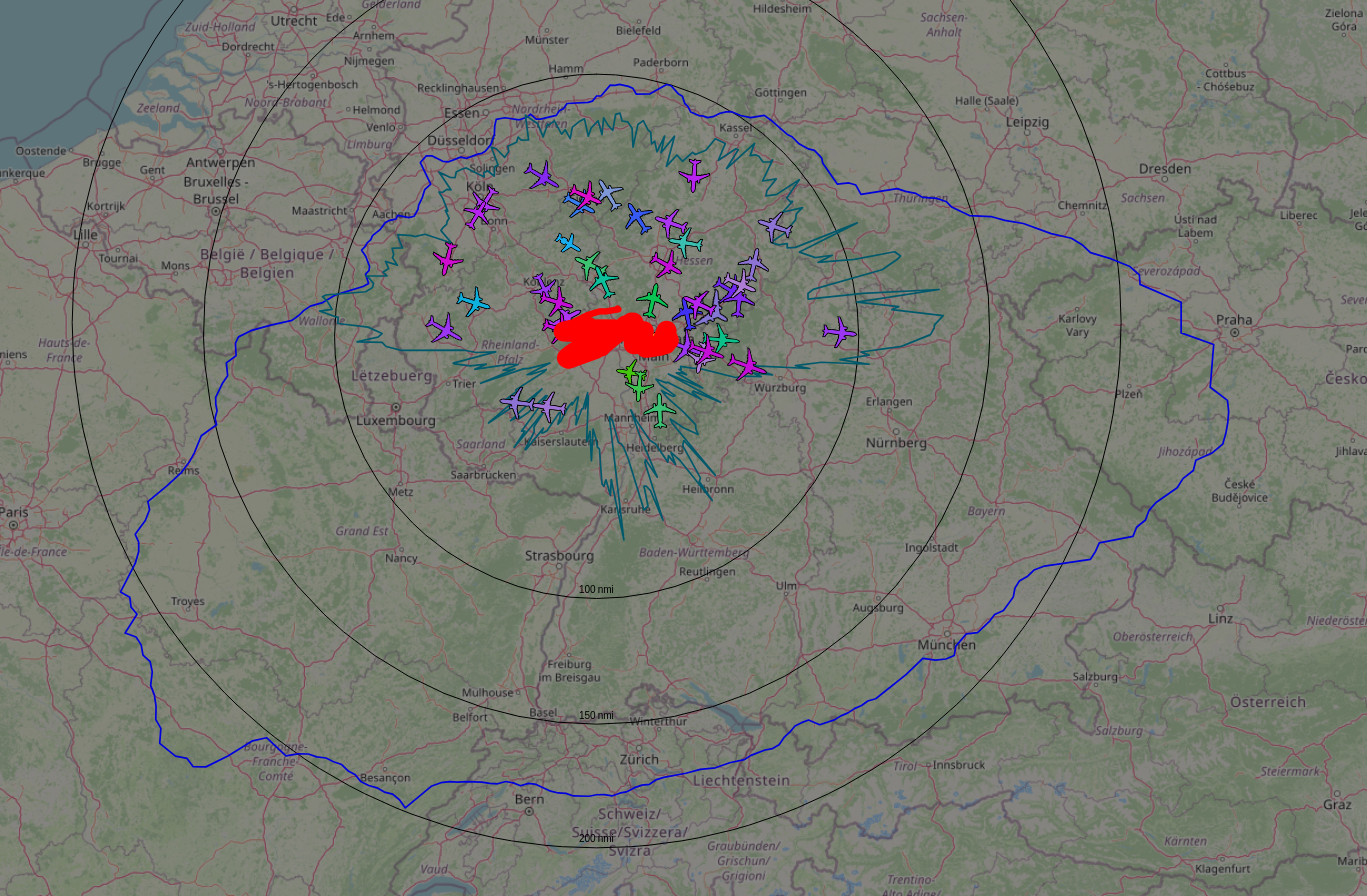
This page describes how to create a panorama for assessing 1090 MHz reception range and how to integrate this data into the tar1090 map, to visualize your theoretical aircraft tracking range.
To judge the actual range, one needs to first know what kind of range is even possible for the station's location. 1090 MHz reception requires a direct line of sight through air to what you want to receive, thus depends on obstacles and the curvature of the earth. To get that theoretical range for a location, follow these steps.
{% hint style="info" %}
The first step can be done by anyone running either a BYOD station or an approved hardware station. The second step is specific to BYOD stations and cannot be done on an approved hardware station.
{% endhint %}
#### **1: Create panorama and look at your outline on heywhatsthat.com**
* Visit
* Click "New Panorama" at the top
* For Step 1, set the location (via address or lat/lon) for your antenna precisely
* Skip step 2.
* For step 3 enter the height of the antenna for your install location, leave the radio button as "above ground".
* For step 4, enter a title and click Submit Request
* Wait for the request to finish and load a new page.
* Scroll down to the map and click the "Up in the Air" button on the top right of the map
* Change the "30000" value below the map to "40000" (this is maximum expected altitude of flights in your area).
* You can change the altitudes (ft) below the map to view different outlines for your location
* Those outlines tell you how far you can receive aircraft at the associated altitudes
* Zoom out a few times with the "-" (minus sign) on the map until you can see the theoretical coverage outlines.
* The panorama does not take into account obstacles closer to the antenna than approximately 100 ft, trees are also not considered but can block reception
#### **2: Integrate theoretical range outline into your local tar1090 display**
* On the top left of the page, an URL to revisit the panorama is mentioned. It will look something like:\
\*\*
* Replace the XXXXX in the following command with the value after view= in your panorama URL, then run the command on your pi:
```
sudo /usr/local/share/tar1090/getupintheair.sh XXXXX
```
* You should now have a range outline for the theoretical range for aircraft at 40000 ft on your tar1090 map
{% hint style="info" %}
If you wish to turn the outline off or on in tar1090, use the Legend/Layers button on the top of tar1090 screen and select/unselect the "terrain-based range outline" checkbox.
{% endhint %}
Your actual coverage
---
# Agent Instructions
This documentation is published with GitBook. GitBook is the documentation platform designed so that both humans and AI agents can read, navigate, and reason over technical content effectively. Learn more at gitbook.com.
## Querying This Documentation
If you need additional information that is not directly available in this page, you can query the documentation by asking a question.
Perform an HTTP GET request on the following URL with the `ask` and `goal` query parameters:
```
GET https://docs.wingbits.com/byod/grandfathered-byod-diy-info/theoretical-range-of-coverage.md?ask=&goal=
```
`ask` is the immediate question: it should be specific, self-contained, and written in natural language.
`goal` is what the user is ultimately trying to achieve, the reason they need the answer. Sharing it helps GitBook give you a better, more relevant answer. A goal is most helpful when it describes the outcome the user wants rather than restating the question. For example, with `ask=how do I create an API token`, a goal like `automate deployments from our CI pipeline` lets GitBook tailor the answer to that use case.
The response will contain a direct answer to the question and relevant excerpts and sources from the documentation.
Use this mechanism when the answer is not explicitly present in the current page, you need clarification or additional context, or you want to retrieve related documentation sections.